
Troubleshoot Robots Directives in LLMIC
Locate source, interpretation or collection differences.
When a robots result looks wrong, identify the layer that produced it before editing the website. The cause may be the wrong source file, a different test path, a local parser limitation, a blocked crawl or an unexpected page response. Changing a broad rule before locating that layer can erase the evidence and create a second problem.
This troubleshooting workflow starts with a reproducible case. It helps you decide whether to investigate collection, source selection, interpretation or deployment. Keep the original result until a fresh observation explains the difference. A badge changing from Blocked to Allowed is useful only when the tested inputs and intended policy are known.
Preserve the Smallest Failing Case
Write down the exact robots URL, test agent, path, displayed explanation and time. Save the source text used for the decision. Include whether the text was fetched live, pasted or edited after fetching. Without these inputs, a colleague may reproduce a different question and report that everything works while your original problem remains unresolved.
Reduce the case to one affected path and one unaffected control path. Prefer a control that shares the same origin and relevant template or directory boundary. Do not start by changing the user agent, scope, speed and rules at the same time. One intervention at a time makes it possible to connect an observed difference to a specific cause.
If you are inspecting a crawl record, preserve the saved crawl and its settings as well. A robots simulation and a past crawl can use different inputs and collection times. Clearly label them as separate observations until you have established that they used the same source and policy.
When the File Cannot Be Fetched
Check the URL field and read the visible fetch error first. Confirm the intended scheme and hostname, then determine whether the problem is retrieval or parsing. A blank editor following a failed request must not be treated as an observed empty file. Record the failure without converting it into an all-allowed conclusion.
If your browser can open the file but LLMIC cannot, compare the access context. The browser may have a signed-in session, while the audit uses different request conditions. Check the website’s response and access requirements through an authorized diagnostic method. Do not paste private credentials into a support screenshot or assume that browser success proves identical application access.
Keep a copy of the error and the requested URL before retrying. A later successful fetch is a new observation, not evidence that the earlier request never failed. If intermittent delivery matters to the investigation, retain both timestamps and ask the website operator to inspect the corresponding server-side records.
When the Simulator Disagrees With Your Expectation
First confirm the selected agent and exact path. Test the full path you care about rather than assuming the root summary covers it. Inspect the rule explanation and the source line it references. A nearby directory or spelling difference can produce a different test case even when the visible pages look similar.
Next inspect parser warnings and group boundaries. The reviewed LLMIC implementation uses a local parser; its handling of repeated groups and agent matching should not be assumed to reproduce every provider’s edge cases. When a compact source example produces a questionable result, preserve it for a product report and compare it with the relevant provider documentation.
Do not simplify production rules purely to satisfy a local parser if the change would alter the owner’s intended policy. A temporary simplified draft can help isolate the cause, but label it as a diagnostic artifact. The goal is to understand the disagreement, not to obtain a preferred color at the cost of a different access policy.
| Symptom | First discriminating check | Evidence to retain |
|---|---|---|
| Fetch fails | Requested origin and returned error | URL, time and error text |
| Root is allowed but a directory is blocked | Exact path under the same agent | Both inputs and explanations |
| Local draft works but live result does not | Freshly fetched production source | Draft and live file copies |
| Crawl says blocked but simulator says allowed | Collection time, agent and source parity | Saved crawl plus simulator case |
| Page still reports noindex | Stored meta and header values | Actual response evidence |
When a Crawl and Simulation Differ
Compare the crawl’s selected user agent with the simulator input. Check whether Respect robots.txt was enabled, whether the crawl predates the policy change and whether the same origin was used. These are concrete differences that can explain a disagreement without requiring any rule edit.
A blocked crawl record has no fetched page body from that attempt. Do not use its empty metadata to argue that a page-level restriction disappeared. To inspect the page itself, arrange an appropriately authorized collection under clearly recorded conditions. Keep those findings separate from the original crawl-policy result so the diagnostic exception does not become an undocumented baseline.
If the inputs genuinely match and the difference remains, report the two observations together. Include the smallest reproducing source text and exact path, avoiding a full private-site export when a synthetic example is sufficient. A clear discrepancy report is more useful than a screenshot containing only the final label.
Worked Example: The Draft Was Never Deployed
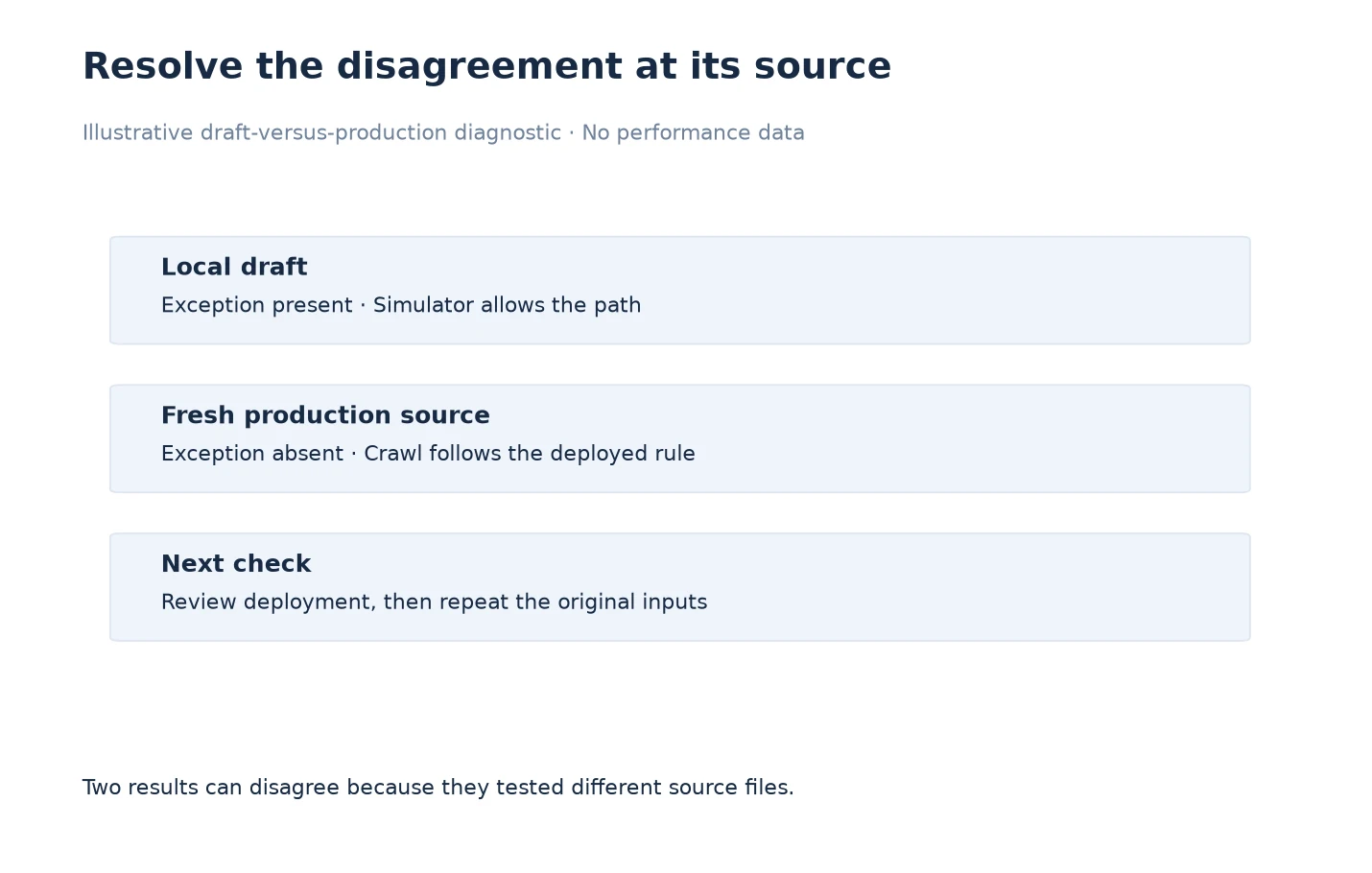
In an illustrative case, an operator edits locally fetched robots text to create an exception for /guides/setup. The local simulator changes to Allowed, but a fresh crawl still records the path as blocked. The first hypothesis is a crawler defect, yet the two observations have not been shown to use the same source.
The operator saves the draft, fetches production robots.txt into a fresh review and compares the relevant rule. The exception is absent from the live source. The discrepancy is now explained: the successful simulation tested a proposal, while the crawl tested the deployed file. No parser change is needed to explain this example.
The resolution is to review and deploy the intended policy through the website’s normal change process, then collect new evidence. The operator checks both /guides/setup and a neighboring path that should remain restricted. The diagnostic diagram shows source selection before interpretation because validating the artifact can resolve the question before more complex investigation.
When the Page Still Has an Indexing Restriction
An allowed crawl path can still return page-level instructions. Inspect the stored meta robots and X-Robots-Tag fields independently of robots.txt. If one contains an unexpected restriction, identify the system that emitted it: the page template, application configuration or response-handling layer. Do not keep changing the crawl file to solve a different type of instruction.
Capture the exact observed value, response time and affected URL. Compare an unaffected page using the same template where possible. This helps the website owner decide whether the change belongs to one page or a shared system. Follow the results review guide to preserve unknown and intentional states.
Close the Case With a Fresh Check
A troubleshooting case is ready to close when the original symptom has a supported explanation and a new observation tests the intended correction. Retain the baseline, intervention and fresh evidence. If the cause remains uncertain, say which layer is unresolved instead of declaring success from a single favorable result.
Use verification of robots changes for the final acceptance worksheet. Keep neighboring control paths in that check so a narrow fix does not quietly remove an intentional restriction elsewhere. The review should leave the website’s policy clearer, not merely produce fewer warnings.
Frequently Asked Questions
Should I disable robots respect to remove a blocked result?
That changes collection conditions rather than repairing the site’s policy. Preserve the original result and use any authorized diagnostic exception as a separately labelled investigation.
Why does the browser succeed when LLMIC fails?
The request context may differ, including authentication or network conditions. Compare observable access conditions and errors before assuming the content or parser is responsible.
Can a copied policy preset deploy itself?
The reviewed workspace appends or copies source for review. Do not treat a local preset or copied rule as proof that production has changed.
What is the most useful parser bug report?
Provide minimal source text, the exact agent and path, the displayed result and explanation, and the expected behavior with its basis. Remove unrelated private content.
Should I ignore parser warnings if the badge looks correct?
Read them. A favorable result can still rely on incomplete interpretation. Resolve warnings relevant to the tested rule before accepting the result.
Why did a robots.txt edit not remove noindex?
They are different evidence layers. Inspect the page’s metadata and response header to locate the observed indexing instruction instead of repeatedly changing crawl rules.
How do I prove the troubleshooting change worked?
Repeat the original failing case with fresh live evidence and test a neighboring control. Document which condition changed and which intended restrictions were preserved.
Sources, Statistics and Measurement Notes
The workflow reflects source review of RobotsTxtView, RobotsParser and CrawlRunner on 5 October 2026. The undeployed-draft scenario is an illustrative diagnostic case. It is not a report of a customer incident or a promise about search-engine timing.
Google’s robots meta tag documentation is the external reference for distinguishing page instructions from crawl rules. Provider behavior should be checked against its own current specification when local interpretation is disputed.