
Export Crawl Scope Evidence From LLMIC
Package the recorded crawl, relevant rows and scope notes for a useful handoff.
A spreadsheet with hundreds of URLs can look authoritative while leaving its recipient unable to answer a basic question: which part of the website does this file represent? The exported rows need context before they can support a decision.
To export crawl scope evidence from LLMIC, preserve the crawl, export the relevant page rows, and include a short scope note. Keep the raw evidence separate from your interpretation. This package lets another person inspect the findings without mistaking a filtered subset for a complete website inventory.
Choose the Evidence Package Before Exporting
There are two different handoff needs. A colleague using LLMIC may need the saved crawl so they can inspect its recorded data. A developer or project manager may need a spreadsheet containing the URLs relevant to a specific fix. Neither recipient necessarily needs every file you can produce.
In the crawl toolbar’s More menu, Crawl File (.llmic) contains Save Crawl File and Open Crawl File. Save the recorded crawl before starting a new investigation that might change the active evidence. Use a clear name that identifies the site or section, purpose and date.
For a spreadsheet handoff, use the Pages export for the relevant result set. Check the active filters before exporting. The Pages export workflow can operate on filtered results, so its output must not automatically be described as the full run. Verify the saved file’s rows instead of assuming the selected view and the resulting file have the same scope.
Create a Small Manifest Beside the Files
A manifest is simply a note explaining what the package contains. You can write it in your team’s ordinary document editor; this guide does not assume an automatic LLMIC manifest feature. Keep it short enough that the recipient will actually read it.
| Field | What to record | Why the recipient needs it |
|---|---|---|
| Question | The specific decision the crawl supports | Prevents reuse for an unrelated claim |
| Input | Starting URL, sitemap or input-list filename | Defines how URLs entered the run |
| Configuration | Mode, relevant limits and rendering choices | Explains differences from another run |
| Observation time | Date, time and timezone | Separates evidence from later site changes |
| Run state | Finished, interrupted or otherwise limited | Makes unresolved coverage visible |
| Export scope | Filters and included URL group | Distinguishes subset from full results |
| Files | Original crawl, row export and analyst notes | Helps the recipient find the right evidence |
If a setting was not preserved and you cannot establish its value, mark it unknown. Do not fill the field from the app’s current configuration if that configuration may have changed since the run. An honest gap is better than a convincing but inaccurate manifest.
Keep the Original Rows and the Working Sheet Separate
Retain an untouched copy of the exported CSV. Make another copy for annotations such as owner, proposed action and acceptance criteria. That distinction matters when a row is later sorted, removed or edited during triage.
Use the complete URL as an identifier. If your analysis normalizes URLs, add the normalized value in a separate column and explain the rule. Preserve the original string so another reviewer can see whether host, path, case or query parameters were changed during analysis.
Do not convert “no matching row” into a status code. A missing observation is not an HTTP 404. Similarly, do not replace a request error with a guessed page title or infer an indexed state from a successful fetch. Add interpretations in their own columns rather than rewriting observed fields.
Check the File That Was Actually Saved
Open the exported file in a spreadsheet or text viewer. Confirm that the headers are readable, the URL column contains complete values, and quoted commas or line breaks have not shifted content into the wrong columns. Compare a few known rows with the app’s recorded results.
Count data rows separately from the header. Check a known included URL and a known excluded URL when the file represents a filtered subset. A successful save dialog confirms that a file was written; it does not confirm that you selected the right population.
When sharing a saved crawl, check that the file exists and that the intended recipient has a compatible LLMIC installation. If you need to test reopening it, protect the active work first and follow the app’s normal Open Crawl File flow. Do not overwrite the original evidence while testing a copy.
Worked Example: Hand Off a Redirect Investigation
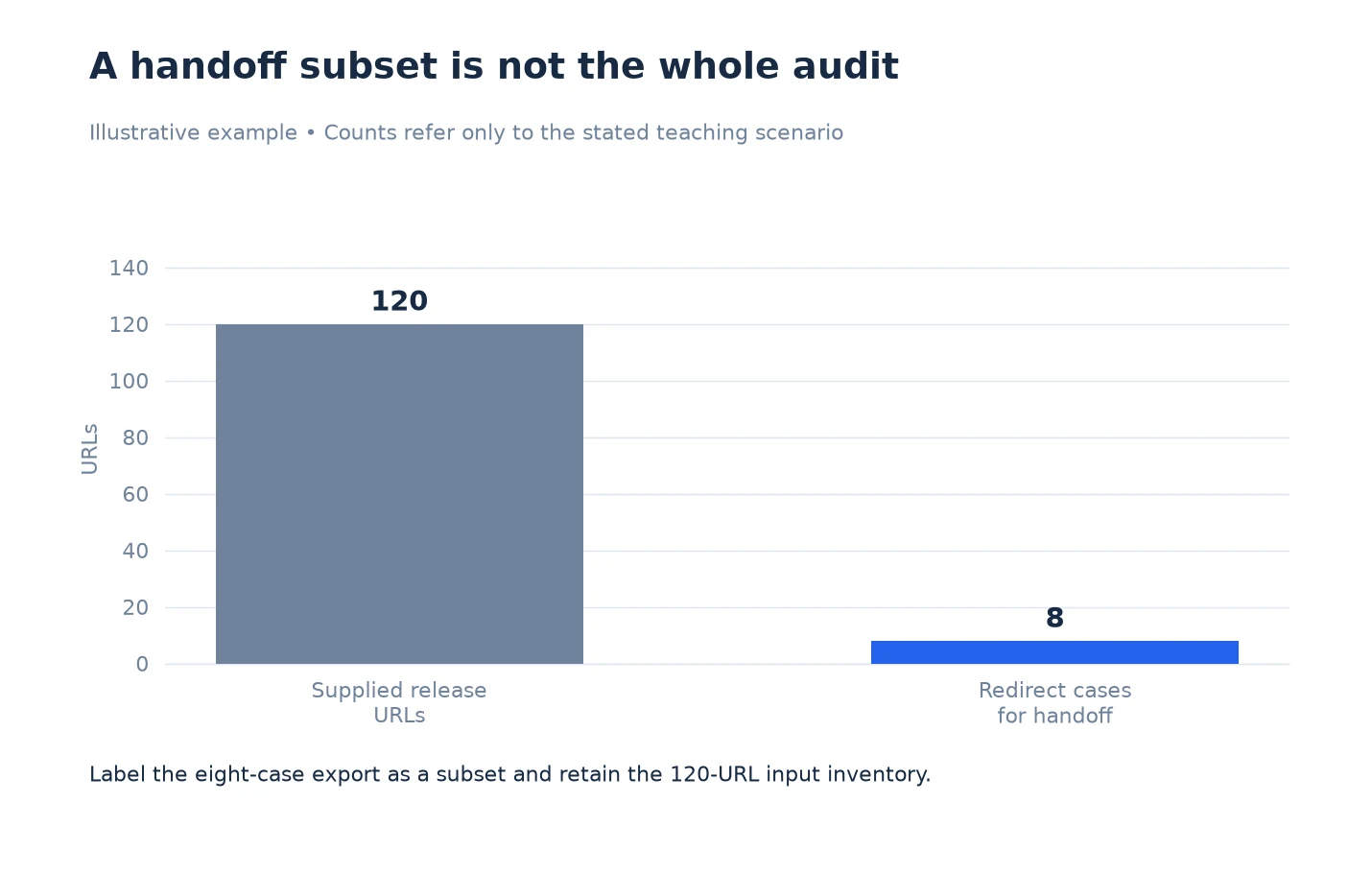
This example is illustrative. An analyst reviews a 120-URL release list and identifies eight URLs whose redirects require a developer’s attention. The developer needs those eight cases, while the analyst needs to retain the broader release evidence.
The analyst saves the crawl, exports the relevant eight rows, and keeps the 120-URL input list. The manifest says that the exported spreadsheet is a redirect subset, not a complete release result. In a working copy, the analyst adds the intended destination, the observed behavior, the implementation owner and the condition for acceptance.
One of the eight cases has no confirmed final destination. Its working-sheet note says “unresolved destination; inspect the chain,” rather than inventing a replacement URL. The developer can now distinguish a known incorrect redirect from a case that still needs diagnosis.
After deployment, the analyst creates a new evidence package for the retest. The old file remains unchanged. That makes it possible to compare the same eight cases without confusing pre-release observations with post-release results.
Remove Unnecessary Sensitive Material Before Sharing
Review the package for private URLs, query-string tokens, personal information and internal comments. Share only the fields the recipient needs. A public-site crawl can still encounter URLs that should not be pasted into a public issue or marketing example.
Use your organization’s approved sharing location and access settings. This page describes preparing evidence, not granting permission to disclose it. If a recipient only needs a summarized finding, a redacted excerpt may be more appropriate than a full crawl file.
Keep redacted copies clearly labeled. Preserve the original securely when retention is appropriate, and explain which fields were removed. Do not make a sanitized file look like the complete raw record.
Add an Acceptance Test to the Handoff
Finish the working sheet with a check that another person can perform. For a scope issue, that might be “the three previously missing URLs appear in a repeat of the same linked crawl.” For a targeted content fix, it might be “each supplied URL returns the intended content under the same access and rendering conditions.”
Use Verify Changes to Crawl Scope in LLMIC when the team is ready to retest. If you cannot yet explain which URLs the evidence covers, return to Review Crawl Scope Results in LLMIC before distributing a conclusion.
Questions About Evidence Exports
Is a CSV enough to reproduce the investigation?
Usually it needs context. Include the input, relevant settings, observation time and export filters. A CSV can preserve rows while omitting the choices that determined which rows exist.
Should I send a saved crawl or a spreadsheet?
Choose according to the recipient’s task. A saved crawl supports inspection in LLMIC; a focused spreadsheet supports assignment and implementation. Include both only when both serve a clear purpose.
Why is my exported row count smaller than the run count?
Check active filters and the export’s intended population. Then inspect the saved file and compare specific URLs. Do not assume the difference is data loss before checking whether you exported a subset.
Can I add owner and priority columns?
Yes, in a working copy. Keep the untouched export separately so observations remain distinguishable from later decisions and edits.
How should I label a URL that has no result row?
Use a distinct label such as “no matching observation.” Do not assign it a fabricated response code or passing status. Preserve it in the reconciliation sheet for follow-up.
Should I include credentials so a colleague can repeat the crawl?
Do not place credentials or session tokens in a CSV or scope note. Arrange any necessary access through your organization’s approved credential process and document the access requirement without the secret.
Can I overwrite the original export after a retest?
Keep the before and after evidence separately, with clear dates and purposes. Overwriting removes the record needed to establish what changed and can make later review impossible.
Sources, Statistics and Measurement Notes
Crawl-file menu labels were verified in the installed LLMIC interface on 5 October 2026. The Pages CSV workflow and filtered-result behavior were checked against the application implementation. Verify the saved output in your installed release before relying on its scope.
The 120-URL and eight-case scenario is illustrative. It is not a customer result, benchmark or claim about export completeness. The manifest and working-sheet columns are recommended analyst practices, not additional automated product features.