
Common Redirect Mistakes and Their Fixes
Avoid common redirect mistakes, including loops, chains and homepage fallbacks. Diagnose rule conflicts and choose destinations that help visitors.
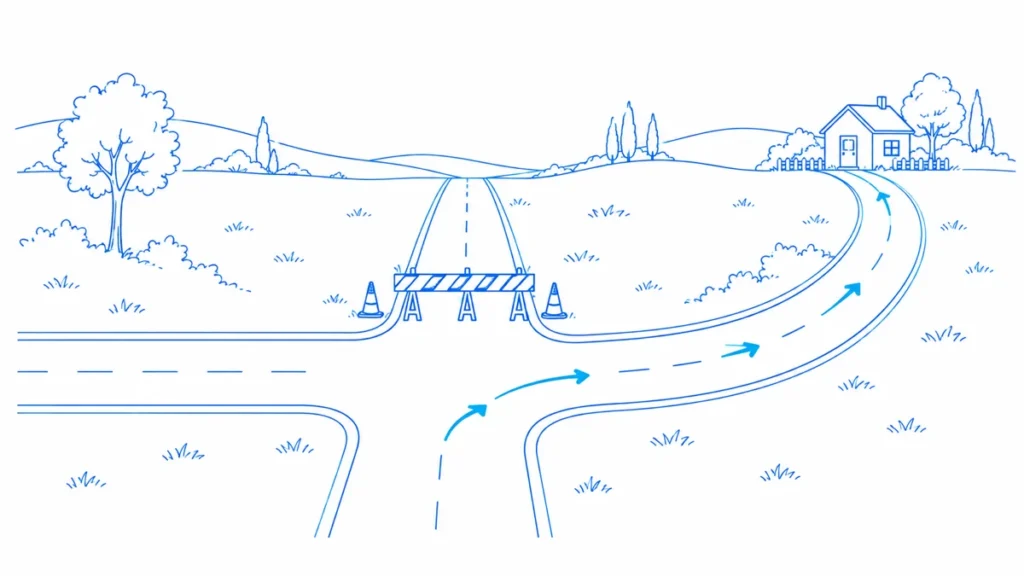
An old recipe link opens a website’s homepage. The server reports success, so the audit row turns green. The reader still has no recipe. This is the redirect mistake that makes many reports look healthier than the website feels.
A good redirect preserves a useful journey. Status codes and hop counts matter, but so does the destination. Review these mistakes as separate failure patterns, because the remedy for a rule conflict differs from the remedy for a poor editorial decision.
The Workflow at a Glance
- Identify the failed journey
- Separate routing defects from mapping decisions
- Fix the responsible component
- Test old entries and deliberate exceptions
| Mistake | Misleading Signal | Better Check |
|---|---|---|
| Homepage fallback | Final response succeeds | Does it satisfy the original intent? |
| Redirect chain | Destination eventually loads | Can the entry reach it directly? |
| Loop | Individual rules look valid | Trace the complete route across layers |
| Destination-only test | New page opens | Test the original URL itself |
Redirecting Everything to the Homepage
A catch-all rule sends every unknown address to the front page. It can hide missing content, swallow typographical errors and make debugging harder. The existence of a successful destination does not establish that it replaces the requested resource.
Review the old page’s purpose. Map it to a relevant successor when one exists; otherwise provide the appropriate removal response and a helpful error page. Keep navigation available to people without pretending that the original recipe, product or article still exists.
Building a Chain With Every Migration
An address moves from A to B, then a later release moves B to C. The original A still takes both steps. Over time, additional host and path rules make the route harder to reason about and maintain.
Where safe, point each retained legacy entry directly to the approved final destination. Check rule precedence and relevant variants before deployment. Do not delete intermediate compatibility rules blindly: another historical URL may still rely on them, so inventory the actual entry points first.
Letting Two Layers Create a Loop
The CDN prefers one host while the application prefers another. Each redirects to the other’s choice. A developer who checks only the CMS configuration may miss the conflict because both individual rules look reasonable in isolation.
Trace the full repeated sequence and identify the owner of each hop. Agree on one routing policy across layers. Test an ordinary path and a known exception after the change, including the host and protocol variants that triggered the original loop.
Choosing a Destination by Slug Similarity
A discontinued camera is redirected to a different camera whose name looks close. The new model lacks the feature that made the old page useful. The mapping is technically direct but commercially misleading.
Ask the product owner to approve the replacement. A relevant comparison or retirement page may serve visitors better than a forced product mapping. Document the reasoning so a future maintenance task does not undo the decision based only on a string match.
Mixing Temporary and Permanent Intentions
A temporary campaign detour becomes a permanent rule because nobody records an end date. Elsewhere, a lasting article move is implemented as a temporary workaround and never revisited. Both cases make the configuration harder to interpret.
Record the expected duration and business purpose when creating the rule. Assign a review date to temporary detours. For application routes, verify the required request behavior with developers rather than treating all redirects as interchangeable navigation shortcuts.
Forgetting Current Internal Links
The old URL redirects perfectly, so the team leaves every navigation link untouched. Visitors keep taking the compatibility route even though the website controls those sources. The redirect has become a permanent substitute for completing the migration.
Update current links to the approved destination and inspect their published output. Keep legacy routing for outside links and bookmarks. These are complementary tasks: source cleanup improves the present site, while the redirect supports historical entry points.
Testing Only the Final Page
Opening the new address proves the destination works. It says nothing about whether an old bookmark reaches it. A migration can have excellent destination pages while half the old mapping is absent or overridden.
Rerun the original URL inventory after release. Preserve every observed hop and the final content. Add negative tests for addresses that should remain genuine errors so a broad fallback cannot masquerade as complete coverage.
An Illustrative Repair Queue
A review of 90 legacy URLs finds 50 direct relevant moves, 20 chains, 10 unrelated destinations, five loops and five unavailable requests. The loop owner should act quickly, while the unrelated mappings need editorial decisions. The chains may be a shared maintenance task rather than 20 independent fixes.
These counts are illustrative and mutually exclusive for this example. Real detectors can overlap. If a chain also ends at the wrong destination, retain both findings on one URL rather than claiming two affected pages. That makes workload estimates and progress reports defensible.
Prevent the Same Mistake Next Release
Store the intended destination, rule owner and verification recipe beside the mapping. Add a small regression sample for each pattern that previously failed. A future reviewer should understand why a redirect exists before shortening, replacing or removing it.
Keep the final acceptance question human: does this old address lead the visitor to the promised resource or an honest explanation? Technical checks support that answer. They should not replace it with a green status badge.
Frequently Asked Questions
Why is redirecting all 404 pages to the homepage a mistake?
It often sends visitors somewhere unrelated and hides real missing-resource problems. Review each meaningful old URL for a suitable replacement. A helpful error page can offer navigation without falsely presenting the homepage as equivalent content.
How do I fix a redirect chain?
Identify the intended final page and the rules producing intermediate hops. Where safe, map retained entry URLs directly to that destination. Retest variants and exceptions; do not remove rules without checking other historical entry points.
Why do redirect loops happen?
Rules can disagree about hosts, protocols or paths across different systems. Trace the repeated sequence and name the owner of each step. Fix the conflicting policy rather than adding another redirect to escape one visible example.
Is a 200 destination enough to approve a redirect?
No. The destination must also be relevant and usable. Read its content and compare the original purpose. A successful homepage or empty shell can pass a status test while failing the actual visitor journey.
Should I replace every temporary redirect with a permanent one?
No. The correct choice depends on the intended duration and request behavior. Review the business purpose and application requirements. Some temporary detours are deliberate and should have an owner and review date.
Can a migration succeed while old links still fail?
The new site may work in isolation while legacy entry points remain broken. That is why verification must include the old inventory, not only a crawl starting from the new homepage. Test both sides of the move.
Do redirect repairs guarantee recovered traffic?
No. They can restore or simplify journeys, but search demand, content changes and indexing decisions also affect traffic. Report verified routing outcomes first and interpret later performance with those limits in view.
Sources, Statistics and Measurement Notes
- Redirects and Google Search — Google Search Central. Guidance on redirect types and search interpretation. Accessed 30 September 2026.
- Site Moves With URL Changes — Google Search Central. Migration mapping, testing and monitoring guidance. Accessed 30 September 2026.
- How HTTP Status Codes Affect Google Crawlers — Google Crawling Infrastructure. Response interpretation; successful delivery alone does not establish indexing. Accessed 30 September 2026.
Put the Review Into Practice
Use the LLMIC documentation to choose the supported workflow in your installed build. Keep the source evidence with the action and verify the published result. Compare LLMIC plans when you are ready to organise this work in the Mac app. A completed technical check does not guarantee indexing, rankings or traffic.
Continue with How to Verify Redirect Changes for the next part of this workflow.
Check the website behind the idea.
Use LLMIC to crawl pages, review the evidence and organise the next actions in one native Mac workspace.